Theme Builder
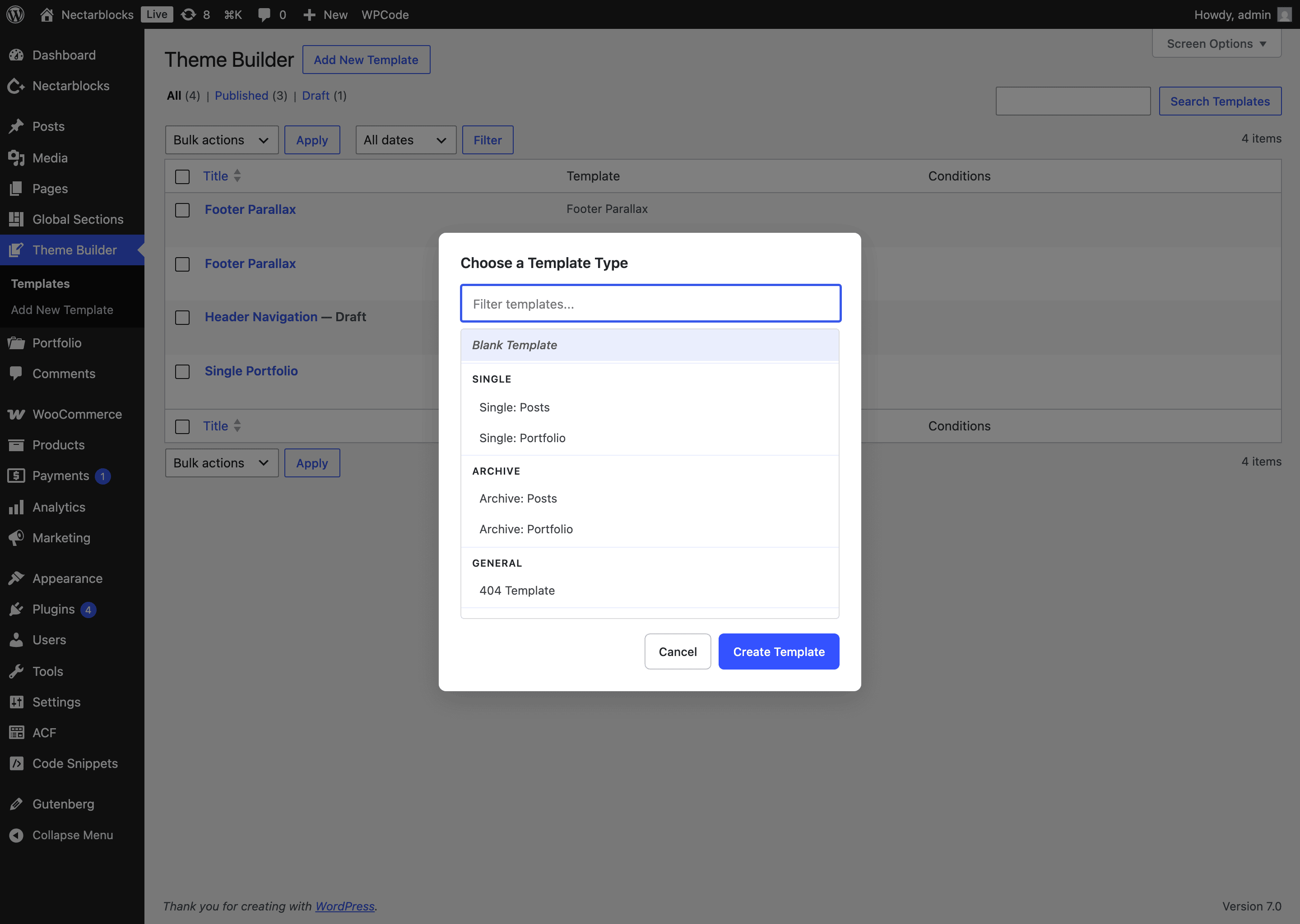
The Theme Builder lets you design the structural templates of your site — headers, footers, blog and archive layouts, the 404 page, and WooCommerce pages — entirely with Nectar blocks. Each template is edited in the familiar WordPress block editor and shown wherever its display conditions match.
Theme Builder is different from the Template Library (a collection of pre-built page designs you drop into the editor) and from Global Sections (reusable content injected at theme hooks). Theme Builder defines the frame of your site; those features fill it in.
Accessing the Theme Builder
In the WordPress admin, open Theme Builder. You'll see a list of your existing templates along with the template type and the display conditions assigned to each.
Creating a template
Click Add New Template to open the template chooser. Templates are grouped by purpose:
- General — Blank Template (start from scratch).
- Navigation — Header Navigation (see the Header Builder guide) and Off-Canvas Menu.
- Single — Post, Page, or any custom post type.
- Archive — Post archive, or a custom post type / taxonomy archive.
- Special — 404.
- Footer — Footer and Footer Parallax.
- WooCommerce (when WooCommerce is active) — Single Product, Product Archive, Cart, Checkout, My Account, and Order Confirmation.
Choose a type and click Create Template. New templates open pre-populated with sensible default content so you have a working starting point rather than a blank canvas, which you can then customize freely.
Display conditions
Each template is shown based on the display conditions you assign. Conditions can target:
- Location — a specific post type, an archive (category / tag / taxonomy), the front page, search results, or the 404 page.
- Users — logged-in vs. logged-out visitors, or specific user roles.
- Taxonomy / posts — specific categories, tags, custom-taxonomy terms, or individual posts and pages.
Conditions can be combined to precisely control where each template applies.
In version 3, this full conditions list also applies to template parts — Header Navigation, Off-Canvas Menu, Footer and Footer Parallax — so you can serve a different header or footer on specific pages, post types, archives or for specific user roles, the same way you target Global Sections.
WooCommerce templates
Version 3 brings full WooCommerce support to the Theme Builder. WooCommerce blocks (product collections, breadcrumbs, product details and more) are available inside the editor with the correct template context, so you can rebuild the entire shopping experience — product, archive, cart, checkout, account and order-confirmation pages — using Nectar blocks. See the dedicated WooCommerce Templates guide for the full list of template types and how to build them.
Related
- Header Builder — design the Header Navigation template, including transparent/scrolled states.
- Template Library — pre-built page designs.
- WooCommerce Templates — design your store pages.
- Global Sections — reusable content blocks attached to theme hooks.