Modules
The Modules tab in the Nectarblocks admin panel lets you turn optional plugin features on or off. These features register additional post types or functionality that not every site needs.
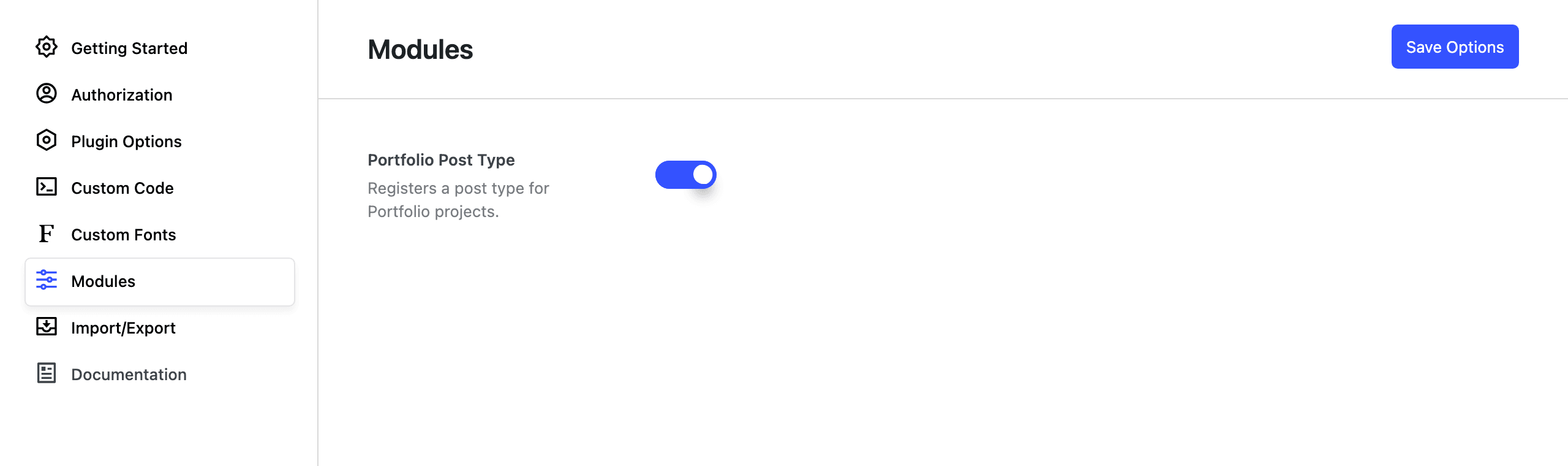
Where to find it
- In the WordPress admin, open the Nectarblocks menu in the left sidebar or toolbar.
- Click into the admin panel and select the Modules tab.
Available modules
Portfolio Post Type
- What it does – Registers a Portfolio post type so you can create and manage portfolio or project entries (e.g. for a gallery, case studies, or work samples).
- When to use it – Enable this if you want a dedicated “Portfolio” content type. When enabled, Portfolio will appear in the WordPress admin menu and you can use it with blocks such as Post Grid or Taxonomy Grid by selecting the Portfolio post type in the block’s query settings.
- When to leave it off – Disable it if you do not need portfolio/project posts; this keeps the admin menu simpler and avoids registering an unused post type.
Toggle Portfolio Post Type on or off and save; the change takes effect immediately. Other modules may be added here in future updates.