World Time

The World Time block shows the live current time for any major city around the globe. It's ideal for office-hours displays, "local time" indicators, or multi-region landing pages. The clock updates automatically in the visitor's browser.
Sidebar Controls
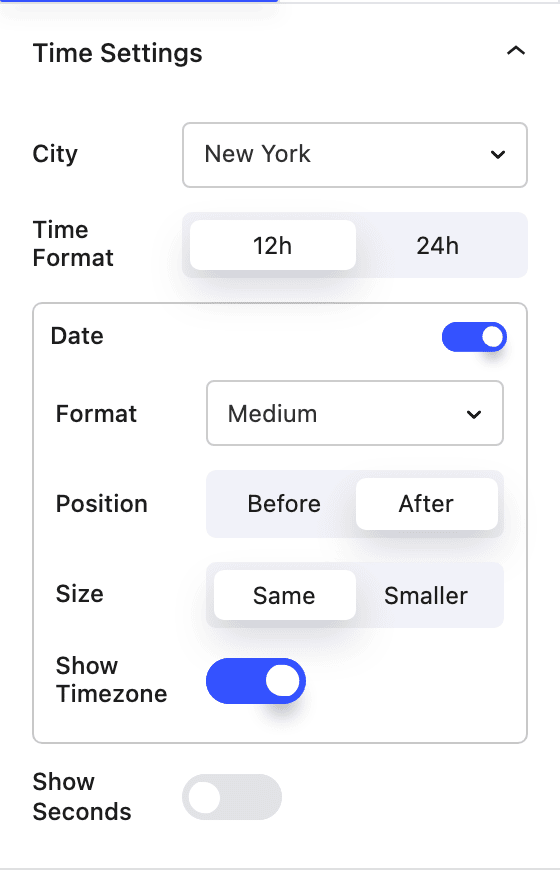
Time settings
- City Pick from a searchable list of major cities worldwide. The block uses that city's timezone to display the correct time.
- Time Format Show the time in
12h(with AM/PM) or24hformat. - Show Seconds Include seconds in the time display. When off, the clock updates once per minute.
- Date Toggle a date alongside the time. When enabled you can set:
- Format — Short (
Jan 15), Medium (Jan 15, 2024), Long (15 Jan 2024), Numeric (01/15/2024), or a weekday-prefixed variant. - Position — place the date
BeforeorAfterthe time. - Size — render the date at the
Samesize as the time orSmaller. - Show Timezone — append the abbreviated timezone (e.g. EST, JST).
- Format — Short (
Typography
Choose a global typography style, then fine-tune font size, line height, alignment and color.
How it works
The date is rendered on the server for correct localization, while the time updates live in the browser using the selected city's timezone — every second when seconds are shown, otherwise on each minute boundary. If a timezone can't be resolved it falls back to a sensible default.
Block Controls Available
The following are common Nectar Block controls which are used in other blocks as well as the World Time block.
- Typography
- Font Size
- Color
- Size
- Spacing
- Position
- Display
- Effects / Transform
- Animations