Loop Filter

The Loop Filter block adds a row of term buttons, or a dropdown, that filters the posts of a Loop block. A visitor clicks a category and the Loop shows only the posts in that category. The posts load with AJAX, so the page doesn't reload, and the page address changes so the filtered view can be shared. It works with categories, tags and custom taxonomies, such as the categories of a portfolio.
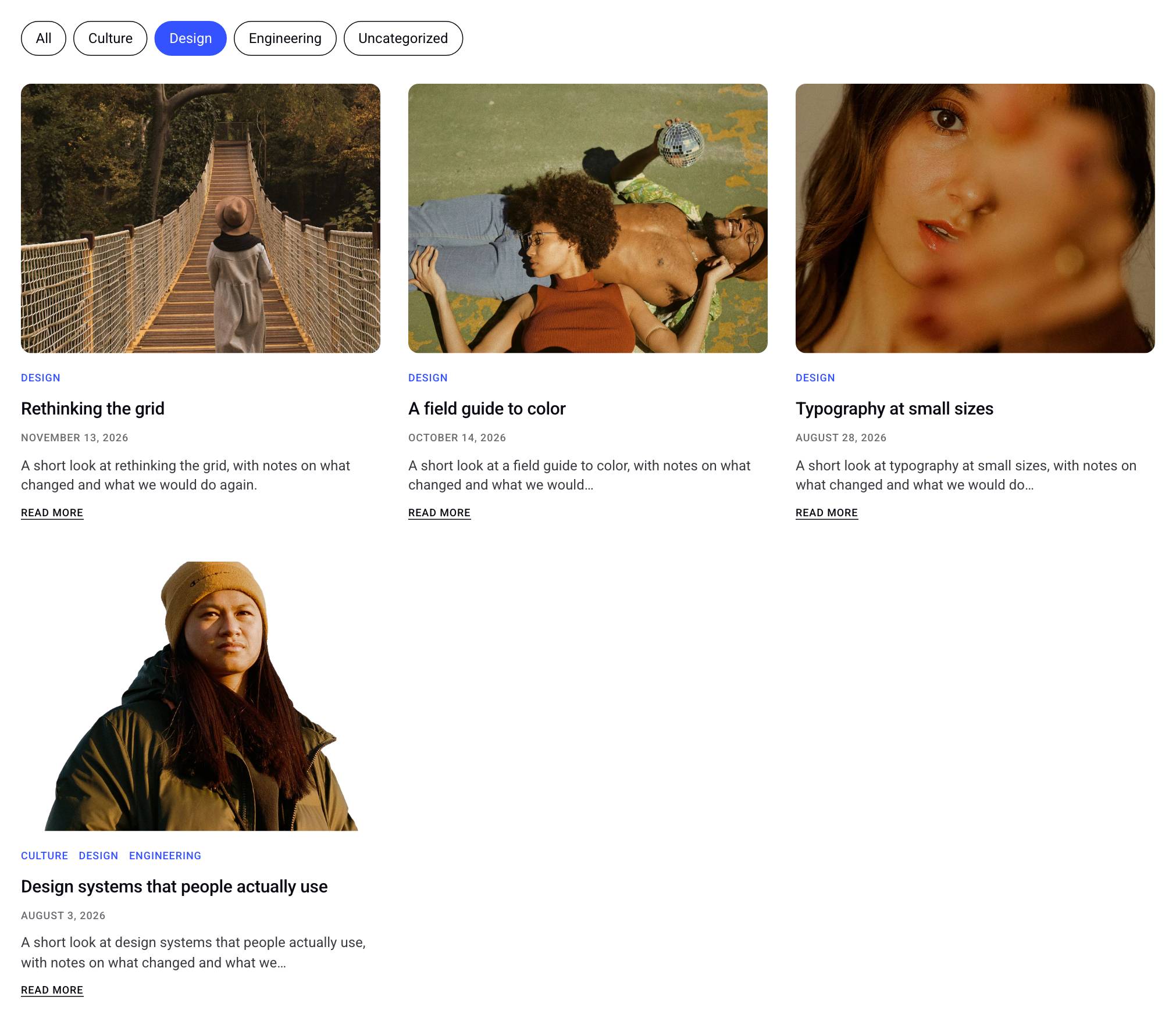
How to Add a Category Filter to a Loop
- Add a Loop block to the page first.
- Add the Loop Filter block anywhere on the same page, usually above the Loop.
- If the page has one Loop, the filter connects to it on its own. If it has several, choose one under Connected Loop. Hovering a Loop in that list highlights it on the canvas.
- Choose the Taxonomy to filter by, such as Categories or Tags.
The filter then shows a button for each term, plus an All button that shows every post again.
Filtering by several categories or tags
- To let visitors choose more than one category, set Selection to Multiple. Match then decides whether a post must be in any of the chosen categories or in all of them.
- To filter by categories and tags together, add a second Loop Filter for the same Loop and set its Taxonomy to Tags. A post has to match both filters to be shown. Use one filter per taxonomy for each Loop.
Filter settings
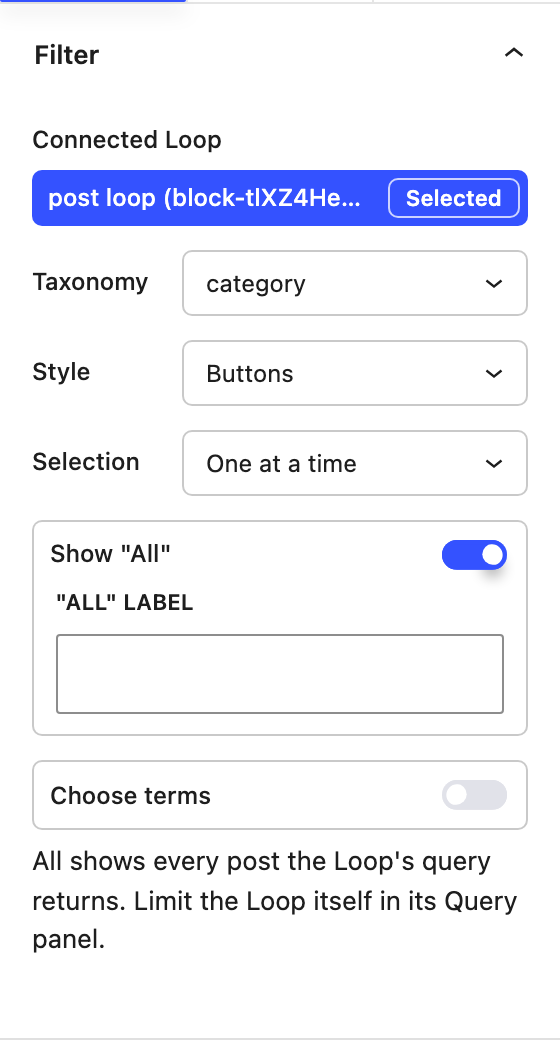
- Connected Loop The Loop this filter controls. Each Loop is listed by its post type and block ID.
- Taxonomy The taxonomy whose terms become the filter options. Only taxonomies of the connected Loop's post type are listed. Changing it clears any terms you chose.
- Style
- Buttons A row of buttons, one per term.
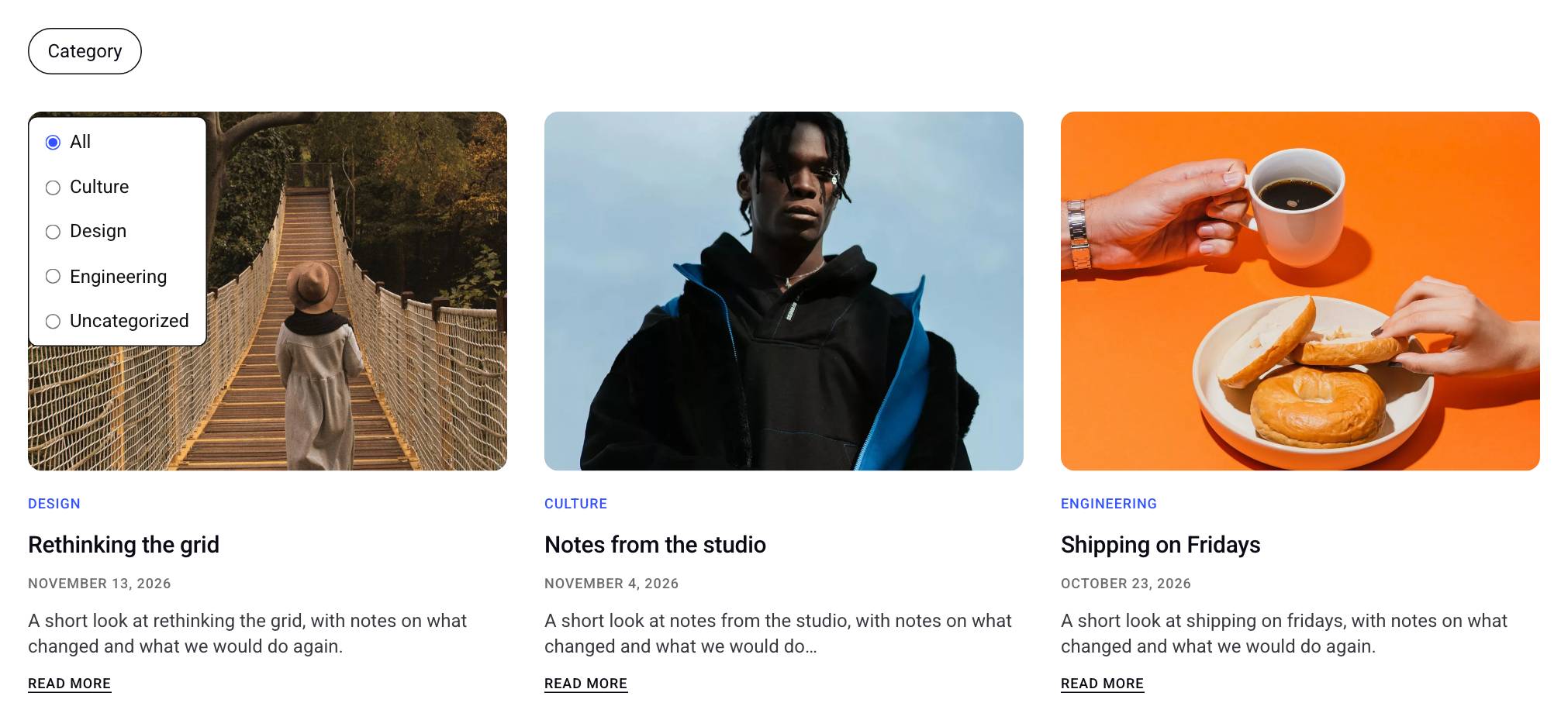
- Dropdown A compact button that opens a list of terms. It is labeled with the taxonomy's name and shows how many terms are selected.
- Selection
- One at a time Choosing a term replaces the previous one.
- Multiple Visitors can choose several terms.
- Match With Multiple selection, whether a post must be in Any of the selected terms or in All of the selected terms.
- Show "All" Adds an option that clears the filter. "All" label changes its text, which is "All" when left empty.
- Choose terms Pick which terms the filter offers, and in what order. Search for a term to add it. When this is off, the filter lists the terms the Loop's own query is limited to, or, if it isn't limited, every term that has a published post of the Loop's post type, sorted by name.
With Style set to Dropdown, the terms open in a list below the button:
All shows every post the Loop's query returns, not every post on the site. To show fewer posts in the first place, limit the Loop itself in its Query panel. The filter can only narrow the Loop's results down.
Style settings
The Style tab styles the filter options.
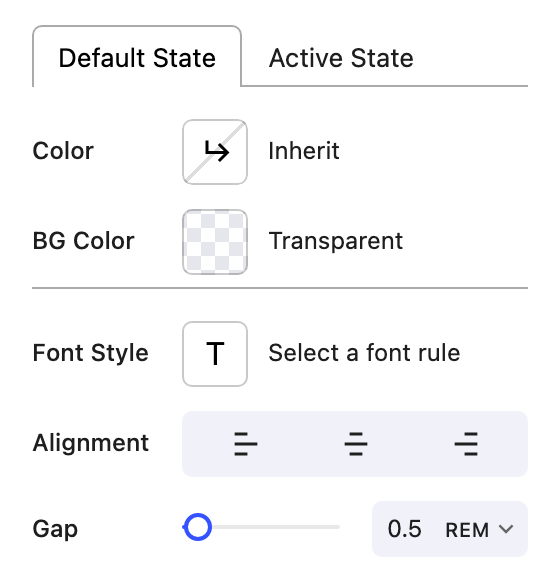
- Default State and Active State Set the Color, BG Color and, for the active state, Border Color of the options. The active state applies to the selected terms, and to All when nothing is selected.
- Font Style The typography of the options.
- Alignment Aligns the options to the left, center or right.
- Gap The space between the options.
- Item Spacing, Outline and Corner Radius The padding, border and rounding of each option.
- List BG Color and List Text Color With the Dropdown style, the colors of the open list.
Spacing around the whole filter, such as the space between the filter and the Loop below it, is set in the block's Spacing settings like any other block.
How filtering works on the site
- Choosing a term reloads the Loop's posts in place. The rest of the page stays as it is. If the Loop has pagination, it starts again from the first page.
- The page address gets a parameter named after the Loop, for example
?loop-block-a1b2c3=category:any:design. Opening a link with that parameter shows the filtered posts right away, so visitors can bookmark and share a filtered view.
Limits
- The filter works with the Loop block only. It can't filter the WordPress Query Loop block or a Post Grid. To let visitors filter a list of posts, build the list with a Loop.
- The filter and its Loop have to be on the same page or in the same template.
- A Loop in an archive template takes its posts from the archive, so a Loop Filter can't filter it. The filter's settings say so when it is connected to one.
- If the chosen taxonomy doesn't belong to the connected Loop's post type, the settings show a warning. Choose another taxonomy.